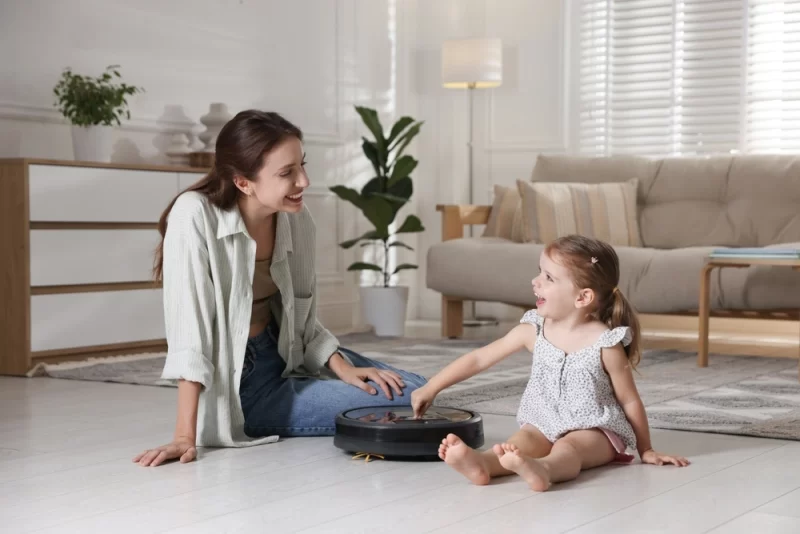
It’s frustrating how dust always comes back the moment you finish cleaning. You vacuum today, and somehow tomorrow the floor already feels like it needs another round. Add pets, busy schedules, or even just shoes coming in from outside, and cleaning starts feeling like a never-ending loop.
That’s where the Robot Vacuum Cleaner enters the picture. Not as a luxury gadget anymore, but as something closer to a daily helper that quietly handles the repetitive part of cleaning. It moves on its own, maps your rooms, and clears dust while you’re doing literally anything else.
Still, people often buy one expecting magic. Then they get confused when corners are missed or the bin fills up too quickly. This article clears that up in a grounded way so you understand what it really does, how it works, and whether it actually fits your lifestyle.

What is a Robot Vacuum Cleaner?
A Robot Vacuum Cleaner is a compact, automated cleaning device designed to move across floors and remove dust, debris, and pet hair without manual pushing.
It typically includes:
- Sensors for navigation
- Rotating brushes
- A suction motor
- A dustbin
- Rechargeable battery
- Software for mapping (in smarter models)
Brands like iRobot, Ecovacs, and Roborock have pushed this category forward with mapping systems and app controls that make cleaning feel almost scheduled rather than manual.
Unlike traditional vacuums, this device doesn’t need constant supervision. But it also doesn’t replace deep cleaning entirely.
How a Robot Vacuum Cleaner Works
At first glance, a Robot Vacuum Cleaner looks like it’s just moving around randomly. But under the surface, there’s a simple chain of actions happening in order. It’s not complicated individually. The “smart” part comes from how all those steps work together without human input.
Step-by-step operation (what actually happens in order)
- It scans the room using sensors or LiDAR
- It builds a basic layout of the space
- It calculates a cleaning route based on that layout
- Brushes lift dust, hair, and small debris from the floor
- Suction pulls everything into the internal dustbin
- When the battery gets low, it automatically returns to the charging dock
In more advanced models, this process improves over time because the device stores and refines room maps instead of starting from scratch every run.
Navigation systems you’ll actually find in Robot Vacuum Cleaner models
This is where behavior differences become obvious in real homes.
- Random bounce navigation: Moves unpredictably, common in older or budget models
- Gyroscope-based mapping: Tracks movement direction to form a rough layout
- Camera-based vision mapping: Uses visual data to identify rooms and obstacles
- LiDAR laser mapping: Builds the most accurate room structure using laser-based scanning
In practical use, LiDAR systems tend to be more reliable in homes with furniture, corners, and multiple rooms because they reduce repeated cleaning paths and missed spots.
Research and testing summaries from Consumer Reports indicate that LiDAR-based Robot Vacuum Cleaner systems generally provide more consistent coverage in complex layouts due to improved mapping precision and reduced navigation errors.

Key Features That Actually Matter in a Robot Vacuum Cleaner
Marketing often overwhelms buyers with specs. In reality, only a handful of features consistently affect day-to-day performance.

1. Suction power (Pa rating is not everything)
Suction is measured in Pascals (Pa), but raw numbers don’t guarantee better cleaning.
What matters more is how suction and airflow are designed together.
Typical real-world ranges:
- Light cleaning: 1000–2000 Pa (dust and crumbs)
- Standard homes: 2000–4000 Pa (daily mixed debris)
- Pet-heavy or carpet homes: 4000+ Pa (hair and embedded dirt)
A poorly designed high-Pa unit can still underperform if airflow routing is inefficient.
2. Mapping system (this controls movement intelligence)
This is what determines how “smart” the Robot Vacuum Cleaner actually feels.
- Random navigation: Covers areas inconsistently, may miss spots
- Smart mapping: Learns layout and improves cleaning paths
- Multi-floor mapping: Saves different floor plans and switches between them
Better mapping usually means fewer missed areas and less repeated cleaning.
3. Battery life (real use vs advertised runtime)
Most units advertise 60–180 minutes, but real runtime depends on:
- suction mode
- floor type
- obstacle frequency
Carpets and high-power modes reduce runtime faster than smooth tile floors.
Some models include auto-recharge and resume, which makes battery size less critical in larger homes.
4. Dustbin capacity (small detail, big impact)
A smaller dustbin doesn’t just mean more emptying. It also affects performance.
When the bin fills up:
- airflow drops
- suction efficiency decreases
- cleaning quality becomes inconsistent
So in dusty homes or pet environments, capacity matters more than it seems.
5. App control (useful when done right, unnecessary when basic)
App features typically include:
- scheduled cleaning
- no-go zones (like pet bowls or cables)
- room-specific cleaning
- cleaning history or maps
In real usage, scheduling and zone control are the most valuable features. Everything else is optional for most users.
6. Mopping function (2-in-1 models)
Some Robot Vacuum Cleaner models include a water tank for light mopping.
Important reality check:
- it handles light surface dust
- it does not replace proper floor washing
- it works best as a maintenance wipe after vacuuming
Think of it as “dust control with moisture,” not deep cleaning.
Benefits of a Robot Vacuum Cleaner (What You Actually Notice at Home)
People don’t really buy a Robot Vacuum Cleaner because it feels futuristic. That excitement fades fast. What keeps it useful is something more practical: it quietly removes small daily annoyances you usually don’t think about until they pile up.
Here’s what changes in real use, not just on paper.
1. It removes the “daily cleaning decision.”
This sounds small, but it matters more than expected.
Instead of thinking:
- “Should I vacuum today or tomorrow?”
You just… don’t. It runs on a schedule.
Over a week, that removes a surprising amount of mental load. You stop negotiating with yourself about cleaning time.
2. Floors stay in a “baseline clean” state
Traditional vacuuming is reactive. Dirt builds up, then you clean it.
A Robot Vacuum Cleaner flips that pattern:
- It collects dust daily or every other day
- Dirt never reaches that “visible mess” stage as often
- Floors feel consistently maintained instead of cycling between clean and dirty
It doesn’t make your home spotless. It just prevents the slow buildup that makes cleaning feel overwhelming later.
3. Pet hair becomes manageable instead of constant
If you have pets, you already know the pattern:
hair everywhere, especially near corners, sofas, and walking paths.
A Robot Vacuum Cleaner helps by:
- Picking up loose hair before it gets embedded into fabric or carpet
- Reducing visible buildup near high-traffic zones
- Running frequently enough that shedding doesn’t accumulate into layers
It won’t fully replace deep cleaning, but it reduces how often you need to deal with “hair situations.”
4. It reduces physical strain from repetitive cleaning
This is often underestimated.
No:
- pushing a heavy vacuum
- bending under furniture constantly
- dragging cords around rooms
- repeated back-and-forth motion on large floors
For small apartments this might not feel like a big deal. For larger homes, it adds up quickly over time, especially if cleaning happens multiple times a week.
5. It works in the background, even when you’re not thinking about cleaning
Scheduling is where it becomes useful long-term.
You can:
- Run it while at work
- clean while sleeping or away
- set routines for specific days or rooms
The key shift is this: cleaning stops interrupting your day. It happens in the background instead of taking up active time.
Research note
Studies in domestic robotics and household automation highlight that repetitive task automation reduces time spent on routine cleaning tasks, especially in urban households where cleaning frequency is higher due to dust exposure and indoor activity levels.
Source: IEEE Xplore (home robotics research)
Limitations of a Robot Vacuum Cleaner (What Buyers Only Learn After Using It)
This is the part most marketing pages soften. In reality, there are clear boundaries to what a Robot Vacuum Cleaner can do.
1. Corners and edges are still weak points
Even with smart navigation, physical shape matters.
Most models are round, which means:
- tight 90-degree corners are harder to reach
- wall edges may get lighter cleaning compared to open floor areas
- dust can still collect in corners over time
Some models improve edge cleaning with side brushes, but it’s still not equal to manual vacuum precision.
2. Small clutter can disrupt cleaning more than expected
This is one of the most common real-life frustrations.
Things like:
- charging cables
- socks or small clothes
- lightweight toys
- plastic bags or packaging
These don’t just block cleaning. They can:
- Stop the vacuum completely
- tangle brushes
- force manual intervention mid-cycle
So the cleaner the floor, the better it performs. It’s slightly ironic, but true.
3. It does not replace deep cleaning cycles
A Robot Vacuum Cleaner handles surface-level maintenance.
But it struggles with:
- embedded carpet dirt
- sticky residue
- heavy spills or dried stains
- deep dust trapped under furniture over time
So manual vacuuming or deep cleaning is still needed, just less often.
4. Maintenance is not optional, it’s part of usage
People often treat it like a “set and forget” device. That’s where performance drops.
Ongoing care includes:
- clearing hair from brushes
- cleaning filters
- checking wheels and sensors
- emptying dustbins regularly
Neglect this, and even a premium model will start behaving like a low-end one.
5. Noise level depends heavily on mode and flooring
Noise isn’t constant.
It changes based on:
- suction mode (higher power = louder operation)
- floor type (carpets amplify sound more than tiles)
- room size (smaller rooms feel louder due to reflection)
In apartments, this becomes more noticeable, especially during night schedules.
Robot Vacuum Cleaner Buying Guide (Step-by-Step)
Buying a Robot Vacuum Cleaner sounds simple until you actually start comparing models. On paper, they all look similar. Same promises. Same buzzwords. Then you bring one home and realize it either misses half the floor or keeps getting stuck under your sofa.
This guide breaks it down the way people actually experience it at home, not how it looks on product pages.
Step 1: Match the Robot Vacuum Cleaner to your actual floor behavior (not just floor type)
Most guides stop at “tiles, wood, carpet.” That’s too shallow.
Think about how your floors behave day to day:
- Tiles: Usually easy, but grout lines collect fine dust and need decent suction plus a good side brush
- Wood flooring: Needs softer brushes because hard rollers can leave micro-scratches over time, especially with debris like sand
- Carpets: Not all carpets behave the same. Thin rugs are easy. Thick or shaggy carpets trap dust deeper, so weak suction won’t cut it
A common mistake is assuming “it works on carpets” means “it cleans carpets properly.” It doesn’t.
Step 2: Look at your home layout like a cleaning map, not a floor plan
This is where most buyers misjudge performance.
Instead of just counting rooms, look at how your space actually behaves when someone is cleaning it.
- Open spaces: Almost any Robot Vacuum Cleaner can handle this without issues
- Multi-room homes: You need mapping that remembers room boundaries and cleaning paths properly
- Multi-floor homes: You need saved maps and the ability to switch floors without resetting everything
Now, the part people forget: clutter changes everything.
If your home has:
- Chairs with tight legs
- Cables near walls
- Low furniture gaps
Then navigation quality matters more than suction power. A strong vacuum stuck under a chair is still a stuck vacuum.
Step 3: Choose based on how you actually live, not what sounds useful
This is where buying decisions usually go wrong.
Pick one main priority. Not five.
- Pet hair removal: Focus on brush design and anti-tangle rollers, not just suction numbers
- Quiet operation: Important if you work from home or run it at night. Some models get noticeably loud on carpet mode
- Smart app control: Useful if you want scheduling, no-go zones, or room-specific cleaning
- Budget focus: Expect trade-offs in mapping accuracy and obstacle detection
A Robot Vacuum Cleaner works best when it matches your lifestyle pattern, not when it has the most features on paper.
Step 4: Navigation system matters more than most people realize
This is the brain of the machine.
There’s a big difference in how they behave:
- Basic random navigation: Cleans, but inefficient. Can miss spots or repeat areas
- Camera-based mapping: Better structure, but can struggle in low light
- LiDAR navigation: Most consistent for structured cleaning and predictable movement patterns
In real homes with furniture, corners, and mixed layouts, LiDAR-based Robot Vacuum Cleaner systems tend to behave more reliably because they build a clearer room map instead of “guessing” movement.
That doesn’t mean others are useless. It just means predictability improves a lot with better mapping.
Step 5: Battery life should match your home size, not marketing numbers
Battery specs are often misunderstood.
Here’s the practical way to think about it:
- Small apartment: 60–90 minutes is usually enough
- Medium home: 90–120 minutes gives stable full coverage
- Large home: 120+ minutes or auto-recharge + resume feature becomes important
One detail people miss: battery life drops when suction power increases. So a “150-minute battery” on low mode might become “90 minutes” on carpet mode.
Also, if your Robot Vacuum Cleaner supports auto-recharge and resume, runtime becomes less critical because it continues cleaning after charging.
Comparison Table: What Actually Matters
| Feature | Basic Model | Mid Range | Premium Robot Vacuum Cleaner |
|---|---|---|---|
| Navigation | Random | Smart mapping | LiDAR precision |
| Suction | Low | Medium | High |
| App control | No | Basic | Advanced |
| Mopping | No | Optional | Advanced dual system |
| Price range | Low | Mid | High |
How It Performs in a Typical Home
Take a 2-bedroom apartment with one pet cat and tiled floors.
Without a Robot Vacuum Cleaner:
- Vacuuming every 2–3 days
- Hair buildup near sofa edges
- Dust accumulation under furniture
With one:
- Scheduled cleaning every morning
- Noticeably less visible hair
- Floors feel consistently cleaner
However, once a week, manual cleaning is still needed for corners and deep dust spots.
Maintenance That Actually Matters (Based on How People Really Use It)
Most Robot Vacuum Cleaner problems don’t come from “bad machines.” They come from small habits that pile up quietly until performance drops and people assume the device is faulty.
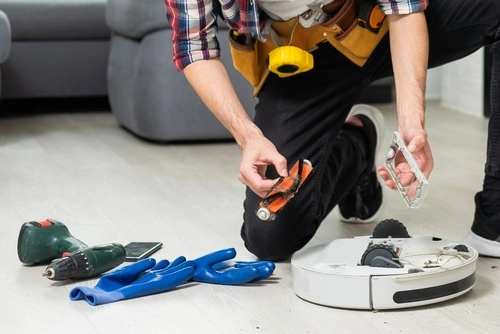
Here’s what maintenance looks like when you strip away the textbook version and focus on real usage.
1. Dustbin emptying (not as simple as it sounds)
Yes, you empty it. But here’s what most users don’t notice:
- Fine dust packs at the bottom and reduces airflow even when the bin looks half-empty
- Pet hair creates a compressed layer that blocks suction faster than visible debris
- In humid environments, dust can slightly clump, making it harder to clear
If you wait until the bin is full, suction already drops before that point. A better habit is emptying it when it’s about 60–70% full, not 100%.
2. Brush cleaning (where most problems actually start)
Main brush maintenance is where performance quietly falls off.
In real homes, this is what happens:
- Long hair wraps tightly around the roller and tightens over time
- Threads from carpets slowly build into a “string layer” that drags efficiency down
- The brush still spins, so people assume everything is fine when it isn’t
A practical signal: if the floor looks “dusty again” shortly after cleaning, the brush is usually the first suspect, not suction power.
3. Wheel and sensor cleaning (often ignored until navigation breaks)
Robot Vacuum Cleaner navigation depends heavily on friction and sensor clarity.
What actually causes issues:
- Hair wrapped around side wheels slows movement slightly, enough to mess with mapping accuracy
- Dust film on cliff sensors makes the device unnecessarily avoid clean areas
- Small debris in wheel joints causes uneven movement patterns
This is why a vacuum can suddenly start “missing zones” even though nothing changed in your room layout.
Common Mistakes Buyers Make (What People Learn Too Late)
This is where expectations clash with reality in a very predictable way.
1. Thinking suction power tells the whole story
A lot of buyers focus on numbers like 5000Pa or 8000Pa.
In practice:
- Poor brush design can waste strong suction
- Weak airflow routing reduces real pickup efficiency
- Carpet type matters more than raw suction specs
So two devices with similar numbers can perform very differently in the same room.
2. Not testing how your home “moves,” not just how it looks
This is a big one.
People look at floor space, but ignore daily movement patterns:
- Shoes left near doors
- Charging cables across corners
- Bags or laundry on the floor
- Kids’ toys left randomly overnight
A Robot Vacuum Cleaner doesn’t fail in a clean showroom layout. It struggles in real-life clutter flow. The more “active” the home, the more interruptions you’ll get.
3. Ignoring replacement ecosystem cost
This usually hits after 6–12 months.
What adds up:
- Side brushes wear faster than expected in dusty homes
- Filters lose efficiency gradually, not suddenly
- Some brands have expensive proprietary parts
So the real cost isn’t just the device. It’s the upkeep rhythm you agree to without realizing it.
4. Expecting it to adapt to mess instead of preventing mess
People often assume:
“I’ll just let it run when things get messy.”
But Robot Vacuum Cleaner systems work best in controlled environments. If you let clutter accumulate, the device spends more time reacting than cleaning.
A better mindset is:
It maintains cleanliness. It doesn’t rescue dirty spaces efficiently.
Seasonal and Lifestyle Factors That Actually Change Performance
This part is often written like a checklist, but real usage is more dynamic.
Rainy season (especially relevant in humid regions)
It’s not just “more dust.” It’s a different type of dirt.
What actually happens:
- Damp dust sticks to floors instead of being lifted easily
- Mud particles enter faster from shoes and pets
- Humidity causes fine dust to clump inside brushes and bins
Result: cleaning cycles feel less effective unless you increase frequency or empty the bin more often.
Pet shedding cycles (not just “summer shedding”)
Pet owners usually underestimate how uneven shedding is.
In reality:
- Hair increases in waves, not evenly
- Some weeks feel normal, then suddenly brushes clog twice as fast
- Fine undercoat hair behaves like dust and bypasses basic suction patterns
Robot Vacuum Cleaner systems help a lot here, but only if run consistently. Skipping days creates rapid buildup that looks worse than it actually is.
Busy work periods (where automation actually earns its value)
This is where the device makes sense.
But there’s a nuance:
- It works best when routines stay consistent
- Irregular schedules reduce efficiency because dirt accumulates unpredictably
- App scheduling becomes more important than manual control
In simple terms, it doesn’t replace attention. It replaces repetition.
Most people don’t buy a Robot Vacuum Cleaner based on brand alone. They end up comparing specific models because that’s where the real difference shows up in performance, mapping, and long-term usability.
Below are real, widely reviewed models in 2026 that consistently appear in testing reports and user feedback.
Budget-Friendly Robot Vacuum Cleaner Models (Practical Entry-Level Picks)
These are not “cheap toys,” but they are designed for basic daily cleaning and maintenance, not deep cleaning perfection.
1. Eufy RoboVac 11S
One of the most common entry-level Robot Vacuum Cleaner options for simple homes.
What it does well:
- Quiet operation
- Reliable on hard floors
- Slim design fits under furniture
Limitations:
- No smart mapping
- Random navigation (can miss spots)
- Basic cleaning logic only
Best for: small apartments with light dust and minimal clutter
2. iRobot Roomba 694
A basic but stable model from a well-known ecosystem.
What it does well:
- Simple app setup
- Decent carpet + hard floor balance
- Predictable cleaning behavior
Limitations:
- No advanced mapping
- Smaller dustbin
- Not ideal for large or complex layouts
Best for: first-time Robot Vacuum Cleaner users who want reliability over features
Mid-Range Robot Vacuum Cleaner Models (Best Value Zone)
This is where most users actually get the best balance between price and performance.
3. Roborock Q5 Max+
A strong mid-range Robot Vacuum Cleaner known for mapping accuracy.
What it does well:
- LiDAR navigation (clean, structured routes)
- Self-empty dock (in many bundles)
- Strong daily cleaning consistency
Limitations:
- Mopping is basic or not included depending on variant
- Not the most powerful for deep carpets
Best for: mixed homes (tiles + rugs + moderate dust)
4. Ecovacs Deebot N20 Pro
A budget-to-mid hybrid option with decent smart features.
What it does well:
- Good mapping for the price
- Strong daily maintenance cleaning
- App-based control and scheduling
Limitations:
- Not premium-level obstacle detection
- Mopping is light-duty only
Best for: users upgrading from entry-level Robot Vacuum Cleaner models
Premium Robot Vacuum Cleaner Models (Automation-Focused Systems)
These are not just vacuums anymore. They behave more like semi-autonomous cleaning systems.
5. Roborock S8 Pro Ultra
One of the most recognized high-end Robot Vacuum Cleaner systems.
What it does well:
- Advanced LiDAR mapping
- Strong carpet + hard floor cleaning balance
- Auto-empty + mop washing dock (depending on setup)
Limitations:
- Expensive
- Dock system takes space
Best for: large homes that want minimal manual intervention
6. Ecovacs Deebot X2 Omni
A premium hybrid Robot Vacuum Cleaner built for full automation.
What it does well:
- Strong vacuum + mopping combo
- Advanced navigation and obstacle detection
- Handles complex room layouts well
Limitations:
- High price range
- Maintenance of dock system still required
Best for: tech-heavy smart homes with mixed flooring
7. iRobot Roomba j9+
A premium model focused heavily on reliability and pet hair performance.
What it does well:
- Strong pet hair pickup
- Smart obstacle detection
- Self-emptying system
Limitations:
- Less aggressive mopping features
- Not the most advanced mapping vs competitors
Best for: pet owners who prioritize cleaning reliability over extra features
FAQs About Robot Vacuum Cleaner
1. Will a Robot Vacuum Cleaner actually clean thick carpets or just glide over them?
It depends on the carpet, not just the machine. Low-pile carpets (like flat woven rugs or short fibers) are usually fine. The vacuum can lift dust and pet hair without much trouble.
Thick carpets are where things get tricky. Some Robot Vacuum Cleaner models slow down or leave visible debris because the fibers resist suction. If the carpet is dense or shaggy, you’ll notice it struggles more with deep dirt that sits below the surface.
A good rule: if your carpet feels fluffy under your hand and “bounces back” a lot, don’t expect deep cleaning. You’ll still need a manual vacuum for that.
2. If I use a Robot Vacuum Cleaner daily, do I still need a regular vacuum at home?
Yes, but not as often.
Think of it like this: the Robot Vacuum Cleaner handles “surface maintenance cleaning” — crumbs, dust, pet hair, and daily buildup. It keeps the floor from getting visibly dirty in the first place.
But corners, edges, sofa gaps, and under heavy furniture still need manual attention once in a while. Most households end up using a regular vacuum every 1–2 weeks instead of daily or every-other-day cleaning.
So it doesn’t replace manual cleaning completely. It just stretches the gap between deep cleans.
3. How long before a Robot Vacuum Cleaner starts losing performance?
Most people notice a drop in performance after 1–2 years, but it’s usually not the motor failing. It’s maintenance issues.
Common slowdowns come from:
- Clogged filters
- Hair wrapped around brushes
- Dust buildup in wheels
- Sensors getting dirty
If maintained properly, many units can run 3–5 years or even longer without major issues. Battery degradation is usually what limits lifespan, not cleaning ability.
4. Is a Robot Vacuum Cleaner loud enough to be annoying during work or sleep?
Noise depends heavily on the mode it’s running.
In normal cleaning mode, it’s roughly similar to a standing fan or a low-powered traditional vacuum at a distance. You can hear it, but it’s not overwhelming in most homes.
The louder situations are:
- Boost mode on carpets
- Emptying dust into the dock (on self-empty models)
- Small rooms where sound reflects more
Premium models tend to manage noise better, especially in “quiet” or “eco” modes, but none are completely silent.
Conclusion
A Robot Vacuum Cleaner is less about replacing cleaning and more about changing the rhythm of it. It handles the repetitive mess that builds up every day, but it still needs a bit of human backup when things get deeper or more stubborn.
The biggest misunderstanding is expecting it to behave like a full-size vacuum on autopilot. Once that expectation is adjusted, it becomes easier to see where it actually fits in real life.
If your floors collect dust quickly or you just don’t want to vacuum every other day, it makes sense. If you expect it to handle everything without supervision, you’ll probably end up disappointed.
Treat it like a maintenance tool, not a complete cleaning replacement. The more consistently you run it, the less effort you’ll spend on cleaning overall.
Research and Sources Used
- iRobot official product documentation
https://www.irobot.com - Ecovacs technology insights
https://www.ecovacs.com - Consumer Reports testing data on robot vacuums
https://www.consumerreports.org - IEEE research on home robotics and automation systems
https://ieeexplore.ieee.org - Roborock product engineering overview
https://us.roborock.com